
CS Surf / Surfd
The linked Surfd project describes Source-style surfing. It is a movement game with its own interface, not an entry into a full Counter-Strike 2 match.
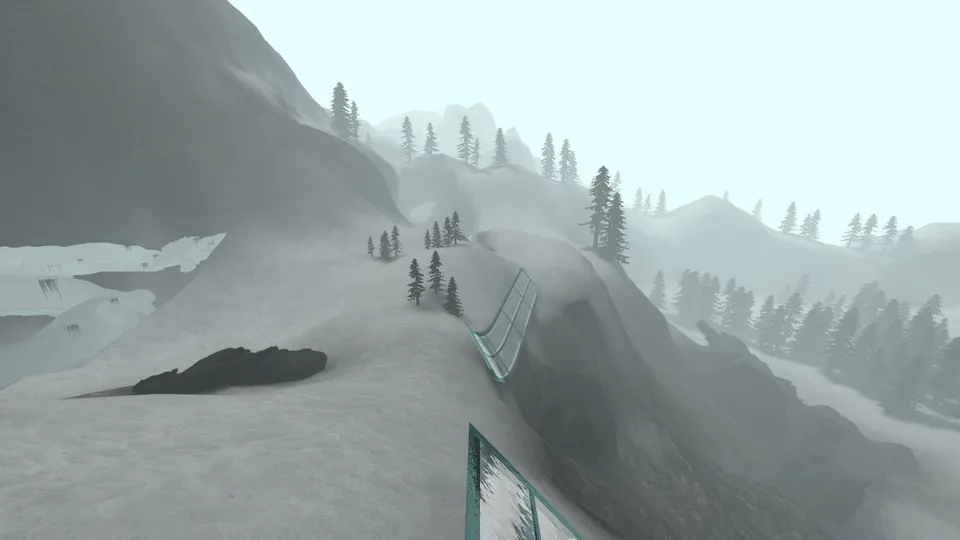
Movement, routes and the next ramp.
The host shows a map selector, timer, practice tools and desktop keyboard/mouse instructions. Its listed bindings include WASD to move, mouse to look, Space or wheel-down to jump, R to restart and Esc for the menu.
Open project website ↗External host · No game files supplied by Radiant Guide
Prepare your first visit
- Review the map and settingsStart with the displayed map and read its controls before loading. Key bindings may be changed in the host’s settings.
- Follow the host’s surf instructionsThe help suggests releasing W on a ramp and strafing toward the ramp face, with gentle mouse movement. Treat this as the project’s advice, not a technique we tested.
- Use its practice toolsInspect the practice facility and route options if available. A timer or leaderboard being visible does not confirm a completed run.
If your controls differ
Check the bindings on the host instead of assuming another Counter-Strike configuration carries over. Input focus and browser shortcuts can affect what receives a key.
Is this full Counter-Strike?
No such claim is made here. The destination presents a surfing experience. Game title familiarity should not be used to infer official servers or the content of another release.
Sources and check limits
Checked October 10, 2026: the project entry and the @RadiantOpti links reply. This guide reports source and setup information. We have not verified a full gameplay session, all modes, safety, licensing permissions or every device.
Back to all 25 source entries ↗ · Loading and browser troubleshooting ↗
 Browser games
 Browser games
 Browser games